How to create a shared photo album your family will actually use
 Peter Theill
Every family gathering ends the same way. Someone says send me those photos!
, everyone agrees, and then nobody does. A month later the pictures from your dad's seventieth are still sitting on eleven different phones, and the only ones you actually have are the four you took yourself.
I've been through this cycle enough times to know the problem isn't laziness. It's that send me those photos
isn't a system, it's a wish. If you want a shared family photo album people actually contribute to, somebody has to build a path so short and so obvious that even your uncle who types with one finger can walk down it.
Here's what I've learned about building that path.
Why the last three attempts failed
Think back to how your family has tried this before.
The group chat: photos went in, then got buried under forty messages about who's bringing the potato salad. Six months later nobody can find anything, and half the pictures got compressed into mush along the way.
The shared drive: worked great for the two people who set it up. Everyone else hit a permissions error, or couldn't remember which email address the invite went to, and quietly gave up.
The photo app someone was excited about: required a download and an account. That killed it before it started. Your aunt is not creating a login to share three pictures of the cake, and honestly, fair enough.
Notice what those have in common. Each one worked fine for the most technical person in the family and failed for the least. A shared album has to be built for the least comfortable person in the room, usually a grandparent, because that's often the person holding the photos you most want. Like the only shot of grandma actually laughing.
What works instead
Make sharing take under a minute
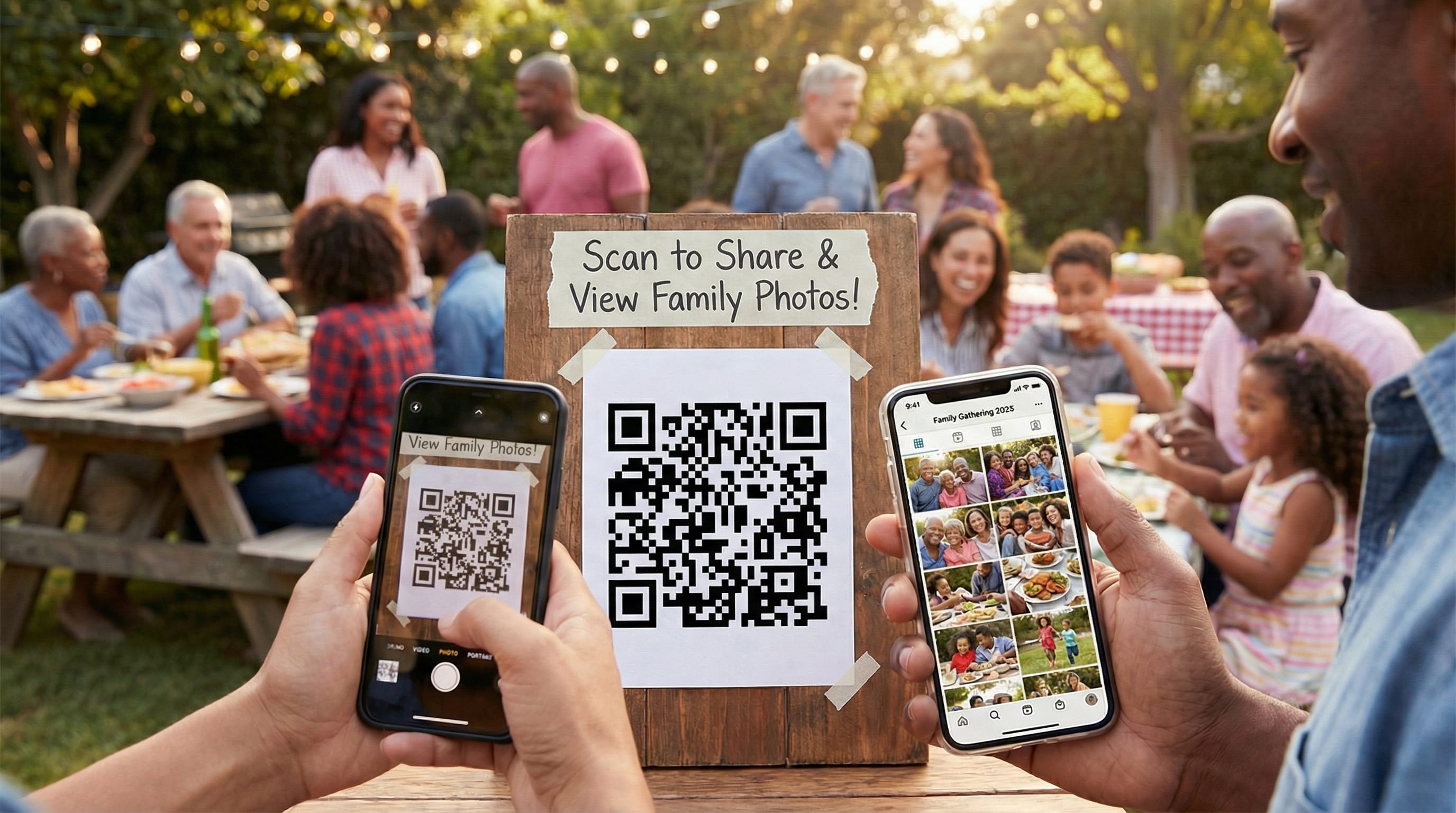
The bar to clear: point the phone camera at a QR code, tap, pick photos, done. No app, no account, no password.
QR codes sound gimmicky until you watch a 78-year-old use one successfully on the first try, which I have. Modern phones recognize them straight from the camera app, so there's nothing to explain beyond point your camera at this.
Put one person in charge
Not in charge of taking all the photos. In charge of collecting them. In my family this job means setting up the album before the day, explaining it once out loud, wandering over to help whoever is squinting at their phone, and nagging the stragglers afterwards. Maybe twenty minutes of work spread across the whole event, and without it, nothing happens.
If nobody claims the job, it's you. You're the one reading an article about shared family photo albums.
Say it out loud, early
An announcement beats any sign. Before the food: I'm collecting everyone's photos from today. There's a code on the kitchen counter, it takes a minute, please do it before you leave.
People take more photos when they know the photos are wanted. And before you leave
matters, because later
is where family photos go to die.
Meet people where they are
Your nephew scans the code before you finish the sentence. Your aunt needs you to sit next to her and do it together. And someone, every single time, will just hand you their unlocked phone and say take whatever you want.
Take the phone. That counts as sharing.
A simple plan
Before the day
Set up the album, print the QR code, and put one line of instructions underneath it: open your camera, point it at the code, tap the link that pops up. Then test it on the least technical person you can reach. If your mother manages without help, you're ready.
On the day
Make the announcement, leave a printed code wherever people gather (kitchen counter, next to the cake, on the drinks table), and offer help before anyone asks for it. Watching for the person frowning at their phone and walking over is worth more than any instruction sheet.
If you can, show the incoming photos on a TV or laptop during the party. Nothing gets people uploading like seeing their cousin's photo appear on the screen and wanting theirs up there too.
The week after
Send one reminder the next day, while phones are still full of the weekend: Thanks for a lovely day. If you haven't shared your photos yet, here's the link again.
One reminder, not five.
When the uploads stop, download everything and put it somewhere permanent. Then, and this is the step people skip, send the finished album back to everyone. That's the reward. The first time your family sees two hundred photos from fifteen phones in one place, the next gathering gets much easier.
Reunions, holidays and trips
The system is the same everywhere, but the scale changes the details.
At a big family reunion, print more codes than feels reasonable, one per table, and fold the announcement into the welcome. The live slideshow matters most here. Half these relatives see each other once a decade, and they will happily crowd around a screen watching each other's photos come in.
For holidays that repeat every year, keep the method identical each time and only change the album. By the third Christmas nobody needs the explanation anymore, which is the whole point.
For a milestone birthday or an anniversary, the guest of honor shouldn't be the one running this. Give the job to one of the organizers, and consider asking guests to add a favorite memory of the birthday person along with their photos.
On multi-day trips, ask people to upload at the end of each day. A week of photos piled up across twelve phones is exactly the kind of backlog that never gets shared.
The excuses, and what to do about them
I forgot to take pictures.
Some people never think to. Give them a specific job instead: Can you get a photo of grandpa with the kids?
A concrete request works where a general one doesn't. And if someone genuinely doesn't want to take part, let it go. Don't make it weird.
The code isn't working.
Nine times out of ten the camera app isn't open, or they're holding the phone six inches too close. Stand next to them and look at the screen together. If the code truly won't scan, type the link in for them and move on.
I'll do it tonight.
They won't. If they're standing in front of you, the kindest thing you can do is say it takes a minute, let's do it now
and mean it cheerfully.
My phone says storage is full.
A classic, especially with grandparents. Uploading usually doesn't need any new space on their phone, so it often works anyway. If not, offer to plug their phone in and sort it out after dinner. Let's be honest, you were going to end up doing that anyway.
Why it's worth the fuss
The album you get from fifteen phones isn't fifteen times better than your own camera roll. It's a different thing entirely. You see the parts of the party you weren't in. The kids' table. The kitchen. Your own face, mid-laugh, in a photo you didn't know existed.
Those collections turn into family history, the kind that gets passed down. And all it costs is one link, one printed sign, and one person willing to be mildly annoying for an afternoon.