A real photo booth experience —
on any tablet, for just $49
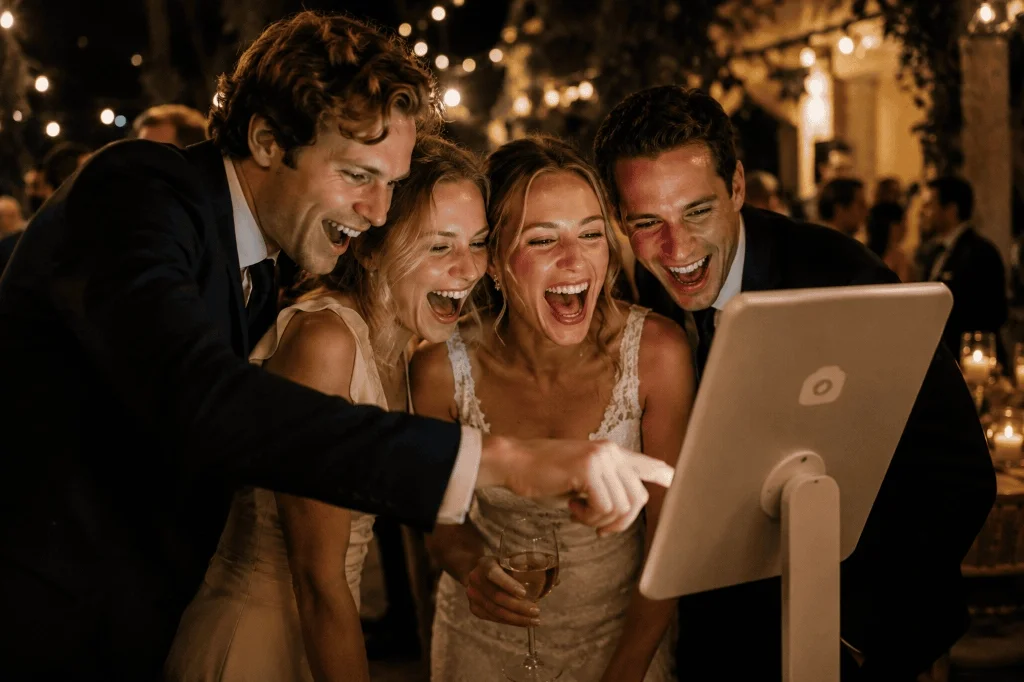
Turn any iPad or tablet into a photo booth in minutes. Custom frames, instant QR sharing, countdown timers — and all your photos stored forever. No app. No technician. No stress.
One-time bundle • Custom event frames • Direct QR code downloads • Unlimited photos
Photo booth app for iPad, Android tablets and laptops
Knipsmig runs in your browser. Open the photo booth link from your event dashboard, allow camera access, and test a photo before guests arrive. Use a current browser, a working camera, power and an internet connection.
iPad
Open the booth in Safari, allow the camera, and secure the iPad on a stand. Check that the camera preview and countdown remain visible in your chosen orientation.
Android tablet
Open the same booth link in Chrome and allow camera access. Take a test photo, check the framing, and confirm it reaches the gallery before leaving the tablet with guests.
Windows laptop or Mac
Use Chrome on Windows, or Safari or Chrome on a Mac. Put the webcam at eye level and check the lighting. Guests can use the mouse or trackpad if the screen is not touch-enabled.
A browser booth uses the camera available to the browser. For a shopping list and printing setup, see the DIY photo booth kit guide. To compare iPad software, use the iPad photo booth app comparison.
Everything guests love about a photo booth — nothing you hate about renting one
Pro-level features. Zero setup stress. Works on any iPad or tablet.
Custom photo frames
Upload custom event borders or choose from beautifully designed templates. Every photo captured will have your event's branding or wedding border automatically overlaid.
Instant QR code sharing
Show a dynamic QR code on the tablet screen immediately after a photo is taken. Guests simply scan the screen with their phone to download their high-res photo instantly.
Adjustable timers
Control the pace of your station. Configure a custom pose countdown (from 1 to 10 seconds) and set the review time (from 15 to 120 seconds) before the booth auto-resets for the next group.
Shutter sound and flash
Give your DIY booth an authentic physical vibe. Turn on high-quality camera shutter sounds and a brief full-screen white flash to indicate when a photo is being captured.
Custom button labels
Choose from localized start-button texts like "Say cheese!", "Take a photo!", or "Strike a pose!". Pick the tone that matches the personality of your celebration.
Keepsake bundle included
Your $49 purchase includes the full Keepsake storage upgrade. Keep your digital event album online forever, allow free high-res downloads for all guests, and secure your memories.
Add a photo printer and it becomes a real booth
Every event comes with a print station. Open it on a laptop next to a photo printer, switch on auto-print, and each new booth photo comes out on 4x6 paper by itself, with your frame. A compact printer costs about $179, and you keep it.
See the full DIY booth kit, printer includedAuto-print
New photos print themselves, one every 15 seconds.
Reprint with a tap
Any photo from the event, again, for grandma.
4x6, 5x7, 6x8 or letter
Borderless, portrait or landscape, whatever the photo is.
Why rent when you can set up in 2 minutes for a fraction of the cost?
See how our digital selfie station compares to old-school rental equipment.
| Feature comparison | Physical rental booth | Knipsmig Photo booth |
|---|---|---|
|
One-time cost
|
$500 - $1,500+ | $49 |
|
Running time
|
3 - 4 hours max (strict hourly limits) |
Unlimited (all day & night)
|
|
Crowd-sourced uploads
|
Muted (booth photos only)
|
Yes (guests upload too)
|
|
Custom event branding
|
Expensive upgrade add-on |
Included free
|
|
Album storage duration
|
Sent via USB or expiring link |
Forever (kept online permanently)
|
|
Photo delivery to guests
|
Printed strips or delayed gallery link |
Scan on-screen QR code instantly
plus 4x6 prints on the spot with your own printer
|
What our hosts say
Real events. Real savings. Real memories.
"We set up a DIY booth on an old iPad with a twenty dollar stand and a cheap ring light. Our guests went wild for it! Over four hundred photos captured, and everyone scanned the screen to download theirs instantly. The best forty-nine dollars we spent on our wedding!"
Sarah M.
Wedding host
"I was skeptical about locking down the iPad, but the guided access instructions were foolproof. The booth ran for seven hours straight without a single issue. Uploads are instant, and the custom frames matched our theme perfectly."
David K.
30th birthday organizer
"We needed a branded photo booth for a corporate team summit but didn't want the hassle of hosting a vendor. Knipsmig let us upload our company logo as a frame overlay in seconds. Simple, professional, and kept all memories forever."
Laura E.
People operations lead
Set up in 4 easy steps
Four steps. Zero technical knowledge required. Done in a few minutes.
Make it yours in minutes
Upload your custom frame, set your countdown timer, and turn on instant QR downloads — all from your dashboard. Ready in under 2 minutes.
Place your booth, press go
Mount your device on a stand or tripod at a comfortable height. A well-lit spot near a window works perfectly — or grab a cheap ring light for that extra glow.
Open, lock, and let guests loose
Open the photo booth link in Safari or Chrome, allow camera access, and use Guided Access to lock the screen. Guests get the full booth experience — nothing else.
Guided Access tip: It's a built-in iOS feature that locks your tablet to a single page. Guests can't exit, close the tab, or touch anything else.
Share the memories
Guests scan the QR code right after their photo is taken and get the full-res image on their phone — no app, no login. After the event, find every photo in your Knipsmig album and share the link with everyone.
Pro tips for a premium setup
Keep it plugged in
The camera preview requires significant device power. Always keep the tablet connected to a wall outlet or an external battery pack to ensure the booth remains active all night.
Use Guided Access
Turn on Guided Access on iOS (Settings -> Accessibility -> Guided Access) and triple-click the power button once the browser is launched. This locks the device to the page, preventing guests from exiting.
Set maximum brightness
Max out your device screen brightness. This guarantees that guests can clearly see the countdown and dynamic overlays even in darker event environments.
Add props & lighting
Pair your tablet setup with a cheap ring light and place some funny props (like hats, glasses, or text signs) nearby. It instantly draws attention and encourages participation.
Photo booth questions
How does the Knipsmig photo booth work?
It is entirely web-based. You open your unique event photo booth link in Safari or Chrome on any iPad, tablet, or laptop. Guests tap the screen, a countdown starts, and the photo is taken and uploaded instantly. No app store installation required.
What is included in the $49 photo booth bundle?
The one-time $49 photo booth add-on unlocks all premium photo booth features: custom overlays/frames, on-screen QR codes for instant guest downloads, customizable countdown and review timers, shutter sounds, screen flashes, custom button text, plus full Keepsake benefits (your entire event album is kept online forever, with free full-res downloads for everyone).
What equipment do I need to set it up?
All you need is a tablet (like an iPad), a tablet stand or tripod to hold it steady, and a power outlet or battery pack to keep it charged. You can also add a ring light or a physical backdrop to make it feel extra premium, but it is not required.
Do guests need to download an app to use it or get their photos?
No app is required for anybody. Guests simply interact with the tablet screen to take photos. If you enable the direct download QR code feature, they can scan the on-screen QR code with their own phone to save the photo instantly. They can also scan table signs to view and upload photos to the same shared gallery.
Is there a limit to how many photos we can capture?
There is no photo-count or hourly cap on the still photos captured by the booth. Guests can also upload photos and videos from their phones to the shared event gallery.
Can I use this for a wedding?
Absolutely! It is perfect for weddings. If you want a tailored setup specifically for your big day, explore our dedicated DIY wedding photo booth guide, which includes custom monogram frames and special wedding tips.
What if I don't want to set up a physical tablet booth?
If you want to skip the tablet setup entirely, you can let your guests capture everything using their own phones. Check out our completely free photo booth alternative that relies on guests' phone cameras.
Can I use an Android tablet as a photo booth?
Yes. Open your Knipsmig photo booth link in an up-to-date Chrome browser on an Android tablet, allow camera access, and test a capture and upload. You need a working camera and internet connection. The booth runs in the browser; there is no Android app to install.
Can I run the photo booth on a Windows laptop or Mac?
Yes. Open the booth link in Chrome on Windows or Safari or Chrome on a Mac, then allow access to the webcam. Place the laptop at eye level, connect power, and test the camera framing before guests arrive. Photo quality depends on the webcam.
Does the photo booth work offline?
Plan for an internet connection. Photo uploads and guest QR downloads need Wi-Fi or mobile data. Test at the venue before the event; do not rely on an offline capture queue.
More ways to capture your event memories
Explore other digital photo setups and guides for your celebration
Ready to set up your tablet photo booth?
Unlock customizable templates, timers, and instant downloads for just $49. Set up in seconds.
Instant activation • Keeps your album forever • Save $500+