Your DIY wedding photo booth —
on any iPad or tablet, for just $49
Skip the massive rental crates and strict hourly limits. Turn any iPad or tablet into a premium selfie station with custom templates, instant QR codes, and keep all your photos online forever.
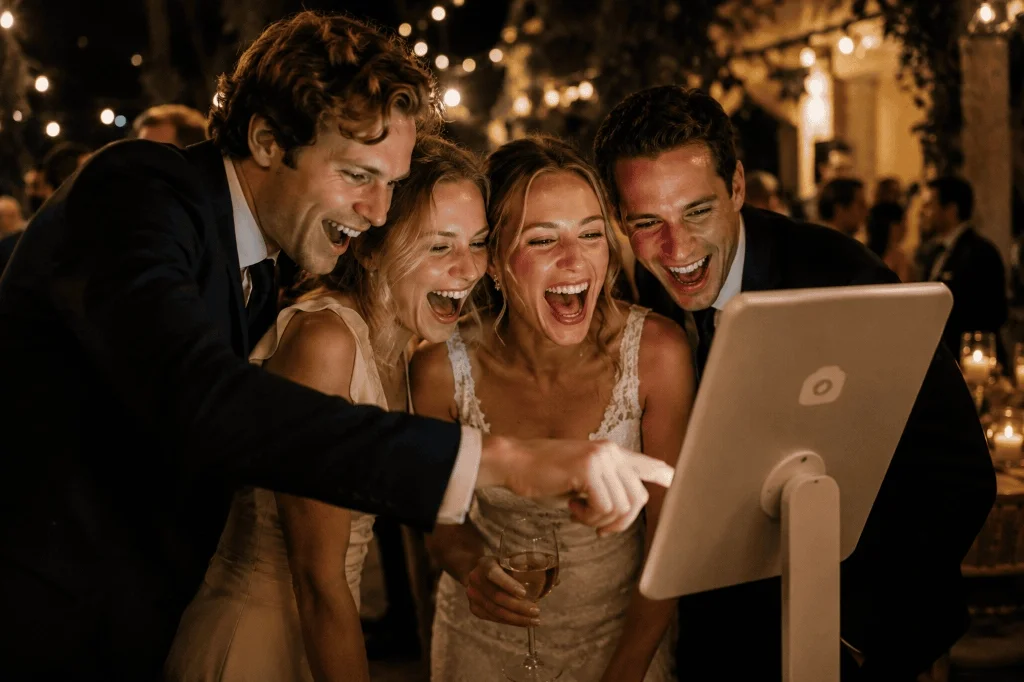
No technicians. No strict hourly limits. No hassle.
Traditional wedding photo booth rentals come with strict schedules, big ugly setups, and high costs. We made photo booths simple, fun, and affordable.
Renting a physical booth
-
Strict 3-hour limit
Traditional vendors charge $800 to $1,500 for a very brief window. The booth gets packed away just as the dance floor heats up.
-
Uncomfortable supervision
An unfamiliar technician stands over the camera all night, making guests feel self-conscious and posed.
-
Fragile paper prints
Guests are stuck carrying delicate physical photo strips around the venue, which easily get bent or lost before the night ends.
The modern DIY alternative
-
Runs all day and night
Your selfie station runs from the morning prep until the last dance. No tech packs it up early, and you get unlimited photos.
-
Candid, natural smiles
Without someone hovering, guests let their guard down, capture hilarious candids, and have fun naturally.
-
Instant digital downloads
Guests scan a dynamic QR code on the screen to save high-res copies instantly to their phone gallery.
Build a premium photo booth for under $100
You do not need industrial photography equipment to get beautiful photos. Here is the exact DIY setup checklist wedding couples use to get pro results on a budget.
1. The device
Use any iPad, tablet, or laptop with a decent front-facing camera. It runs entirely in Safari or Chrome, so you don't need to purchase or install anything from the App Store.
2. Stand & ring light
Buy a cheap tablet tripod stand ($15 on Amazon) and a simple clip-on LED ring light ($15). This keeps the camera perfectly steady and illuminates guests' faces with soft, flattering light.
3. Knipsmig app
Activate our photo booth bundle to unlock custom overlays with your monogram, countdown timers, shutter sounds, instant QR codes, and lifetime gallery storage.
Make it unique with backdrops and funny props
You don't need a professional studio curtain! Use a beautiful exposed brick or wood wall at your wedding venue as a natural backdrop. Add some affordable props — like funny sunglasses, signs, or hats — on a small table next to the stand. It naturally acts as a magnet for guests throughout the reception.
How we compare to traditional photo booths
Compare features, pricing, and guest experience side-by-side.
| Feature comparison | Physical rental booth | Knipsmig Wedding booth |
|---|---|---|
|
One-time cost
|
$500 - $1,500+ | $49 |
|
Running time
|
Strict 3 - 4 hour limit |
Unlimited (all day & night)
|
|
Guest delivery
|
Printed strips only (often lost) |
Scan QR code instantly
|
|
Branded templates
|
Expensive upgrade add-on |
Included free
|
|
Collect guests' phone photos
|
No (booth captures only)
|
Yes (unified gallery)
|
Loved by real wedding hosts and couples
See how couples saved money and captured more memories on their wedding day.
"Setting up a DIY booth on an old iPad was the best decision we made! Guests of all ages went wild for it, capturing over five hundred pictures. Best of all, everyone scanned the screen to get their high-res downloads right away. Highly recommend!"
Sarah M.
October bride
"I was skeptical about leaving a tablet sitting out on a tripod, but iOS Guided Access kept the device locked perfectly to the browser all night. Our custom frame overlay with our names and monogram looked beautiful on every single photo."
David K.
Happy groom
"As a professional planner, my clients look to me to save budget without compromising quality. Knipsmig is my secret weapon. No bulky vendor trucks in the driveway, no coordination stress, and the final high-res download gallery is completely free to share."
Laura E.
Wedding planner
Your wedding day setup guide
Follow these quick tips on the morning of your wedding to ensure a completely smooth experience for all guests.
Secure charging power
The iPad camera preview uses significant battery. Always place your setup near a wall outlet or tape down a high-capacity portable USB battery pack at the base of the tripod stand so the booth stays powered all night.
Lock the tablet with Guided Access
Open your photo booth web link in Safari or Chrome, then activate iOS Guided Access (triple-click the power button). This locks the screen to the browser, preventing curious kids or guests from exiting to your home screen.
Assign a trusted wedding companion
Ask a groomsman, bridesmaid, or your wedding coordinator to test a single test photo right before the ceremony begins. This guarantees the lighting is perfect and the camera angle captures the optimal framing.
Wedding photo booth FAQs
How does the Knipsmig wedding photo booth work?
It is entirely web-based! You open your unique event photo booth link in Safari or Chrome on any iPad or tablet. Guests tap the screen, a countdown starts, and the photo is taken and uploaded instantly. There are no apps to install or accounts to create.
What do we get with the $49 photo booth bundle?
The one-time fee unlocks custom frame overlays (like your names or wedding date), on-screen QR codes for instant photo sharing, adjustable countdown and review timers, camera shutter sounds, screen flashes, custom button text, plus full Keepsake benefits (your entire wedding album is kept online forever with free full-res downloads for everyone).
What physical equipment do we need?
All you need is a tablet, a stand or tripod, and power. Adding a cheap clip-on ring light or a funny prop set helps draw guests in, but is optional.
Can guests upload their own phone photos too?
Yes! This is the best part. Your Knipsmig event has a shared QR code that can be printed on table cards. Guests can scan it to upload any photos they capture on their own phones, bringing all your wedding memories into a single, unified digital album.
Is there a limit on photo captures?
Nope! You get completely unlimited photos and videos. The booth can run from early setup through the grand exit without any count limits or extra hourly fees.
Can I use this for non-wedding events?
Yes! While this guide is tailored for weddings, the core system is incredibly versatile. For birthdays, corporate events, and parties, check out our general iPad photo booth app page.
What if we want a completely free photo setup without an iPad stand?
If you want to avoid setting up a dedicated tablet stand, you can let guests capture everything on their own phones instead. Learn more about our completely free wedding photo booth alternative that operates through simple table QR code cards.
More ways to capture wedding memories
Explore other digital setups and guest photo options for your big day
Ready to set up your wedding photo booth?
Unlock custom monograms, timers, and instant guest QR downloads for just $49. Set up in minutes.
Instant activation • Keeps your album forever • Save $500+